
Free and open source
Your laptop asks.
Your best machine works.
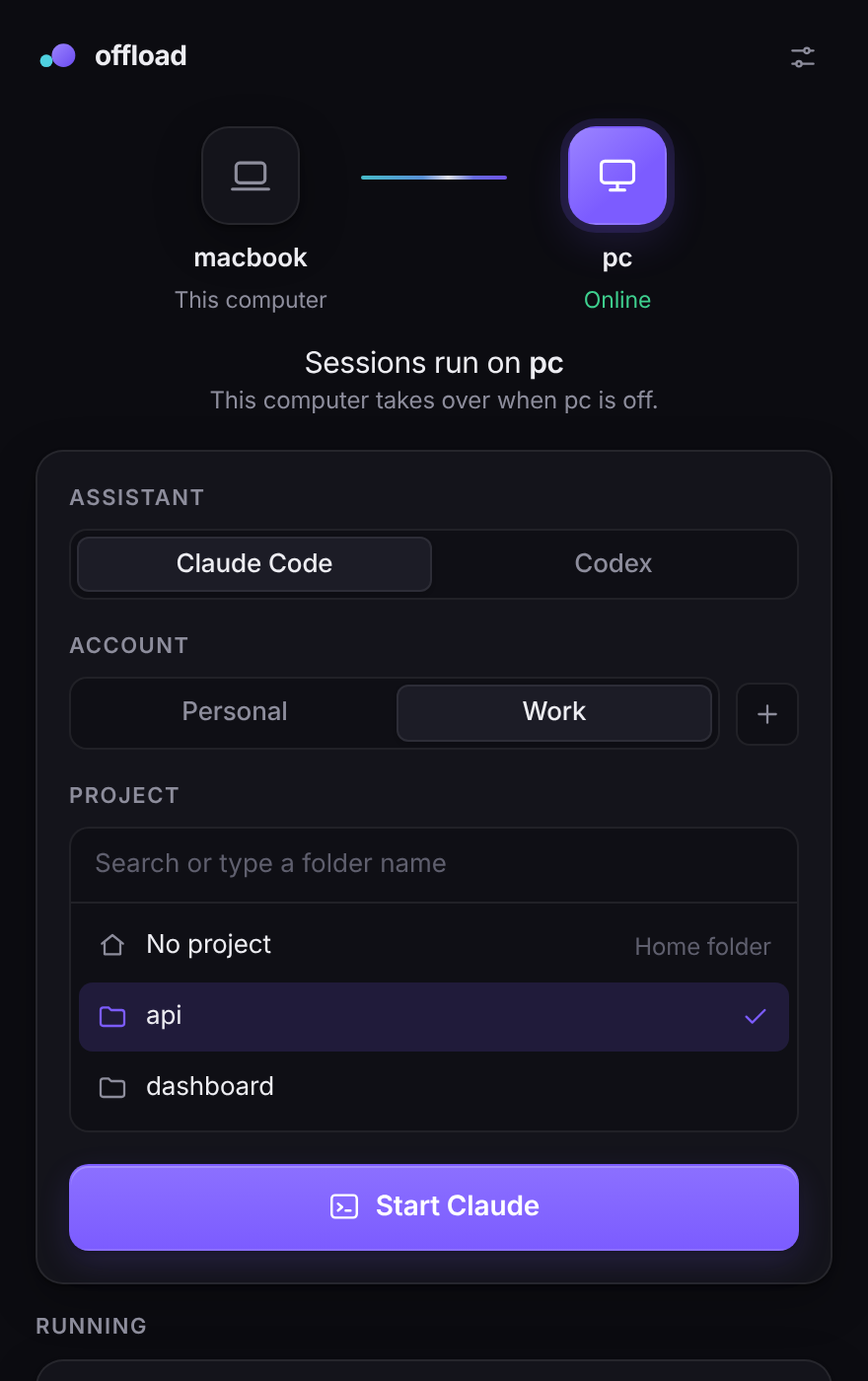
offload starts Claude Code, Codex or Gemini on the most powerful computer you have online. When it is off, the session runs right where you are. Personal and work accounts never mix.
macOS 11 or later, Windows 10 or later, Linux. Free, MIT license.
How it works
Three steps, then one button
- 1
Install the app
It lives in your tray and installs the command-line tool for you on first launch. On Windows it sets it up inside WSL.
- 2
Connect your powerful computer
offload finds your other machines through Tailscale and gives you one command to paste there. It finishes the setup by itself.
- 3
Press Start
Pick an assistant, an account and a project. The session opens on the best machine that is on, or locally when none is.
Features
Built for people with two machines and two accounts
The better machine, automatically
List your computers in order of preference. The first one that answers gets the session. If none do, it runs where you are.
Two accounts, zero overlap
Each account has its own logins, history, settings and project folder. Git can use a different name and email for each one.
Sessions that outlive the connection
Close the laptop, open it again, and you are back in the same session. Everything keeps running in the meantime.
Any terminal agent
Works with Claude Code, OpenAI Codex CLI and Gemini CLI out of the box. Add any other agent with one line of config.
A command line too
The app is a thin layer over a single bash script. Everything it does, you can do with
offload run.Nothing in the middle
offload does not proxy your agent or touch its credentials. It picks a machine over SSH and gets out of the way.
Download
Get offload
The buttons always point to the newest release.
-
Your system
macOS
Apple Silicon and Intel, macOS 11 or later
Download .dmg -
Your system
Windows
64-bit, Windows 10 or later
Download .exe .msi installer -
Your system
Linux
64-bit
Download .AppImage .deb package
First launch
The installers are not code-signed yet, so your system will warn you once. On macOS, right-click the app and choose Open. On Windows, choose More info and then Run anyway.
Prefer the terminal?
Install only the command-line tool on macOS, Linux or WSL2:
curl -fsSL https://raw.githubusercontent.com/evrenbunch/offload/main/install.sh | bash